






























































Skip to content

Your Mac never fills up.

DiskCity turns your disk into a living pixel city, where every folder is a building and forgotten files gather dust. Autopilot keeps it from filling up overnight, and the Harbour sails cold projects to your own NAS or SSD.

Download for Mac

Free scan · First 10 GB of cleanups free · macOS 14+ · Apple Silicon and Intel

Macintosh HD461 of 512 GB used

The real island from the app, on a sample Mac. Hover a building, ask the Mayor, or flip to night.

Don't delete it. Send it to the Harbour.

The projects and videos you haven't opened in months sail to your own NAS, external SSD, SFTP server or iCloud Drive. Every file is checked with SHA-256 before the original leaves your Mac, and a link stays in its place. Nothing goes through our servers.

Ships sailing from the island's harbour to a storage depot on a separate island.
Free on this Mac51 GB
Synology NAS212 GB

Cold on this Mac

Sail to

Part of Pro. Google Drive, Dropbox and OneDrive are next.

Autopilot works the night shift.

Set a floor. Autopilot forecasts when you'll hit it, warns you days ahead, and sends the sweepers out overnight while your Mac is idle and plugged in. It asks first unless you tell it not to.

In the morning there's a short report in the menu bar: what went, how it comes back, and how many days of room you have.

Keep at least

40 GB free

Without Autopilot you'd hit the floor in 4 days. With it, you never do.

0 GB20 GB40 GB60 GBTodayDay 7Day 14Day 21Day 28
With Autopilot (green dots are overnight sweeps) Without

Every folder is a building.

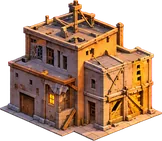
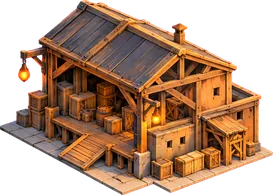
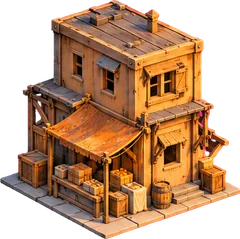
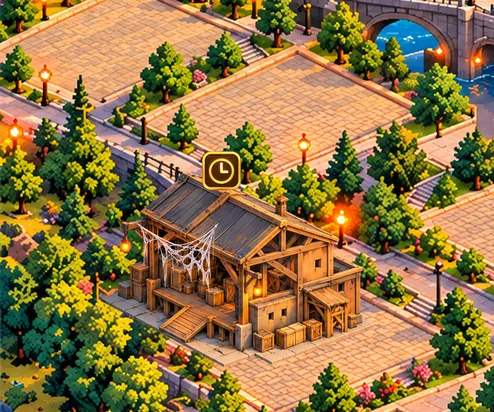
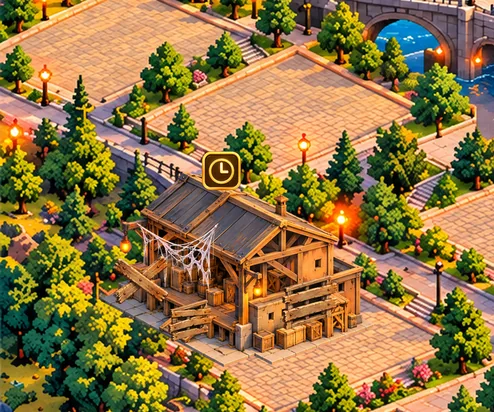
Height is size, so the folders eating your disk are the towers you see first. Time shows up as weather: dust after a month, cobwebs after three, boards after six, and a ruin after a year nobody opened it.

Drag the slider. That's the same warehouse, aging the way your Downloads folder does.

Seconds to scan 2 million files
12
Districts, from Developer to System
10
A warehouse in the Downloads district, opened 2 days ago
Downloads · Xcode installer · 12.4 GB

Opened 2 days ago

In use. Lights on.

Two kinds of cleanup, counted honestly.

Moving a file to a holding folder on the same disk frees nothing. So DiskCity keeps two numbers apart and never adds them together.

The Developer district: brick factories, stacked crates and containers being loaded onto a barge.

Rebuildable: freed now

Caches, build data, dependencies and downloadable models are removed straight away, with the tool's own command where there is one. Each removal is logged with how it comes back.

  • Xcode DerivedDatarebuilds on your next build
  • node_modulesnpm install
  • Ollama modelsollama pull
  • Docker build cachedocker builder prune
The Recycling Yard: a tidy walled yard of labelled crates around a small clock tower.

Personal: reclaimable

Anything without a rebuild rule waits in the Recycling Yard for 30 days. It counts as reclaimable, restores in one click, and returns its space only when the Yard is emptied.

  • Old installersin Downloads
  • Large videosunopened for six months
  • Agent transcriptsolder than 90 days
  • iOS backupsof phones you replaced

Built for the Macs that fill up fastest.

A read-only scan of the founder's 245 GB MacBook found 24 GB free. Four districts held over 60 GB, and most of it rebuilds itself or was never opened again.

  • Build data25.7 GB

    Xcode, node_modules, package caches

  • AI agent logs16.5 GB

    Months of coding-agent transcripts

  • App caches9.6 GB

    Rebuilt by each app as needed

  • Docker VM8.8 GB

    Docker Desktop's disk image

~/code — claude
$ claude mcp add diskcity -- /Applications/DiskCity.app/Contents/MacOS/diskcity-mcp✓ Added MCP server diskcity> my build failed, disk is full. find me 30 GB  ⏺ diskcity.scan_city()  ⏺ diskcity.find_junk(kind: "rebuildable")  ⏺ diskcity.propose_plan(target_gb: 30)  Plan: 30.3 GB, rebuildable only. Repos protected.  Waiting for your Approve in DiskCity…
The AI Models district: purple glass towers and data vaults lifted by cranes at dusk.

Claude Code, Codex and Cursor can read the map and propose plans over MCP. They can't clean anything: every plan waits for your Approve in the app. Prefer the terminal? brew install diskcity-scan is the free, read-only scan.

The city charter.

Disk cleaners have earned their reputation. These are the rules DiskCity is built around, and they show up on the first screen you see.

We read names, sizes and dates only.
The scan never opens your files. It runs on your Mac and nothing about your disk leaves it unless you share a postcard.
Nothing is deleted without your OK.
Every plan is drawn on the map first: what goes, what stays, and how each item comes back. You press Approve, or nothing happens.
Personal files wait 30 days in the Recycling Yard.
Installers, videos and anything without a rebuild rule move to the Yard, where one click restores them.
No account. No telemetry unless you opt in.
Licence keys work offline. Crash reports stay off until you turn them on. Photos, Documents and your git repos are protected by default.

Free scan. Pay once to clean.

No subscription. The scanner and rulebook are open source, so you can check exactly what DiskCity looks for.

Scan

Free

The city, the Mayor's explanations, and your first 10 GB of cleanups.

DiskCity

$29

All cleaning with no size limit, every rule pack and the Recycling Yard. Once.

DiskCity Pro

$49

Everything, plus Autopilot, the Harbour, and the CLI and MCP for your coding agents. A year of updates included.

Compare plans and team packs

Your city is waiting.

Download DiskCity, run the free scan, and see what your disk looks like from the air.

The island city's skyline from the sea at sunrise.